How to Get Unbanned from War Thunder in 2026 Step by Step
Most War Thunder account bans boil down to one of four common scenarios. Before we dive into the solution, it is important to identify which category you fall into:
1. Cheating / Use of Third-Party Software
This is the most frequent cause. If the system flags you for using hacks, the ban is typically issued after a manual review. While these bans are usually accurate, system errors do happen. If you believe this is a false positive caused by a technical glitch, you can—and should—appeal.
2. Account Trading (RMT)
If Gaijin suspects you of buying or selling an account, the situation is difficult. The War Thunder Terms of Service explicitly forbid account trading. Unfortunately, if this is the reason for your ban, the chances of getting unbanned are extremely slim.
3. Compromised Account (Hacked)
If your account was stolen and the hacker used cheats while playing on it, you have a strong case. Since the cheating activity wasn’t your fault, support can often verify the unauthorized access and lift the ban. Note that Gaijin usually offers this type of amnesty only once.
4. Conflicting Software on Your PC
Sometimes, you might be innocent of cheating in War Thunder, but the anti-cheat software detects cheat programs for other games on your computer (such as Delta Force or Escape from Tarkov). Even if you didn’t use them in War Thunder, their presence alone can trigger a ban.
If you are facing any of these issues, filing an appeal is your only path forward. So, how exactly do you navigate the process? Below, I have outlined a detailed, step-by-step guide to help you submit your appeal and hopefully recover your account.
Step 1: Access the Official War Thunder Support Website Portal
To get started, you need to head straight to the official Gaijin Support website. This is the only direct channel for handling account disputes and ban appeals.
Click the link below to open the support page:
[[https://support.gaijin.net/hc/en-us
War Thunder support page sign in button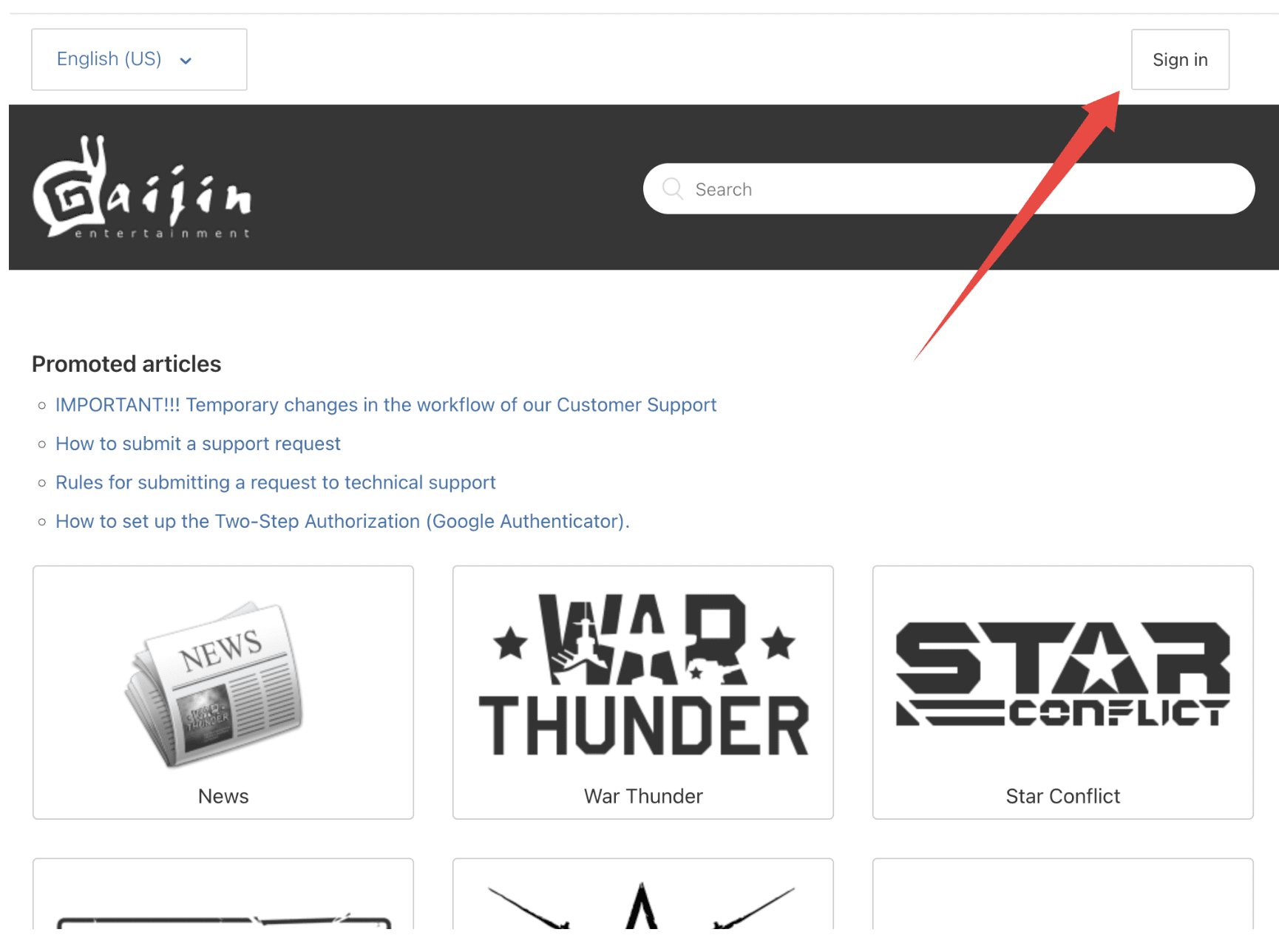
Step 2: Log In to Your Gaijin Account
Once the page loads, look for the “Sign in” button, usually located in the top-right corner of the screen. Click it to proceed.
You will be redirected to the login page. Simply enter your registered email address and password to access your account dashboard.
War Thunder support page login in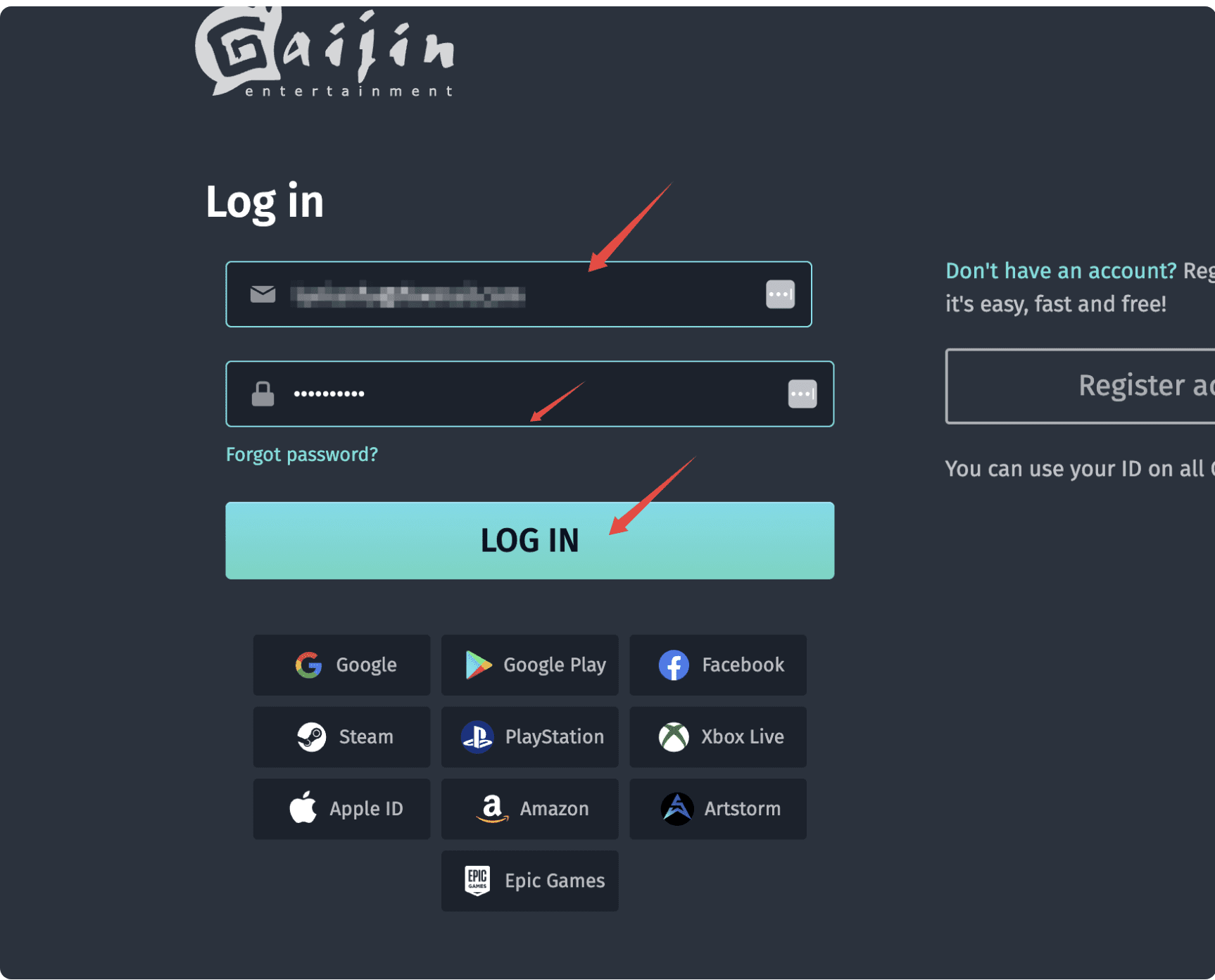
Step 3: Navigate to the Request Submission Form
After successfully logging in, look for the “Submit a request” button positioned in the top-right corner of the header.
Click it, and you will be taken directly to the main ticket submission form where you can start drafting your appeal.
War Thunder support page Submit a request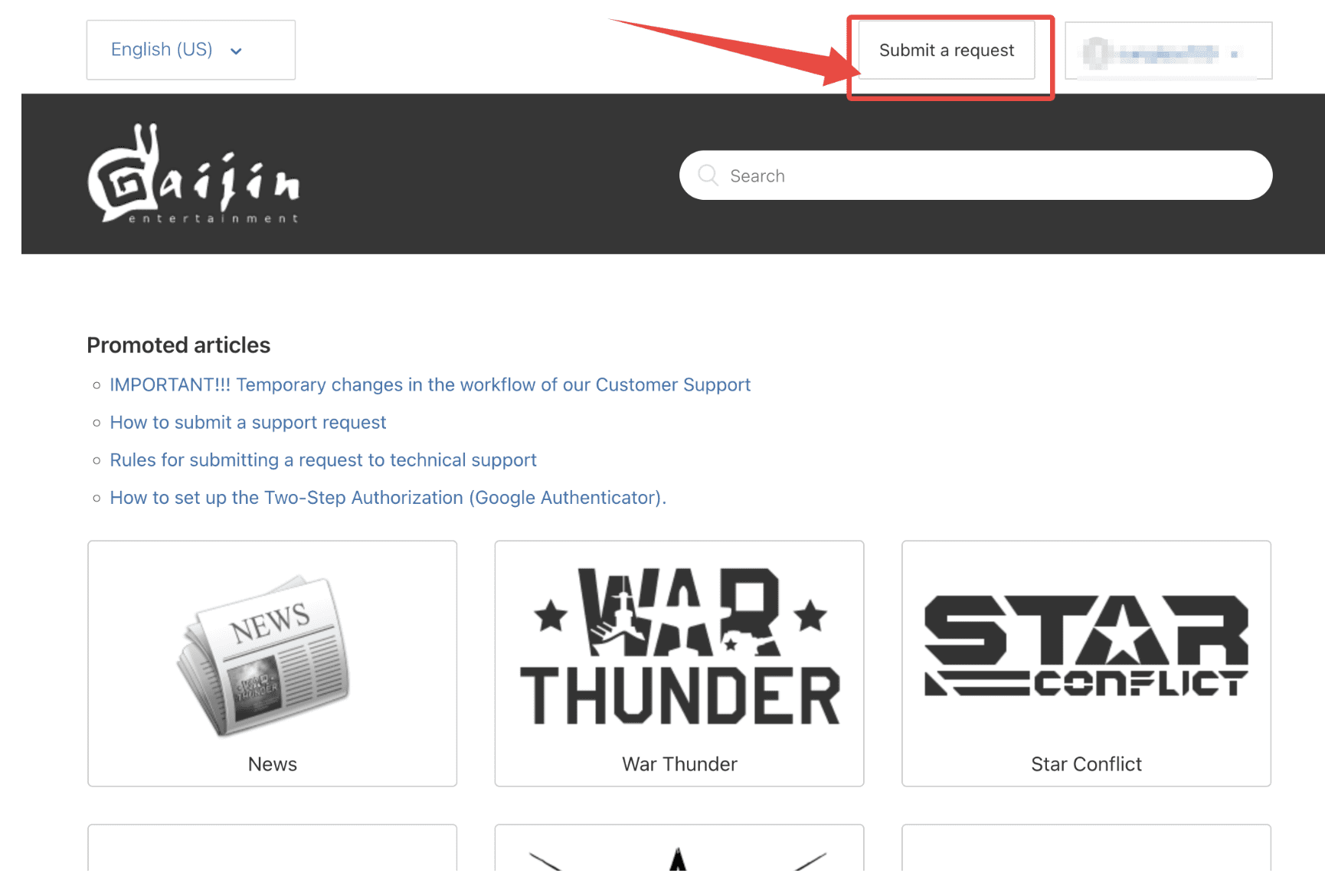
Step 4: Fill Out the Form and Submit Your Appeal
Now, you need to fill in the required fields. Pay close attention to the screenshot below—I have highlighted the exact category selections inside a red box.
It is crucial that you mirror these settings. Selecting the wrong category (e.g., “Technical Issues” instead of “Ban Appeal”) can result in your ticket being delayed or ignored.
Once the details are set, paste your prepared English appeal letter into the message body and click the Submit button.
Screenshot of War Thunder support form showing correct ban appeal category selections.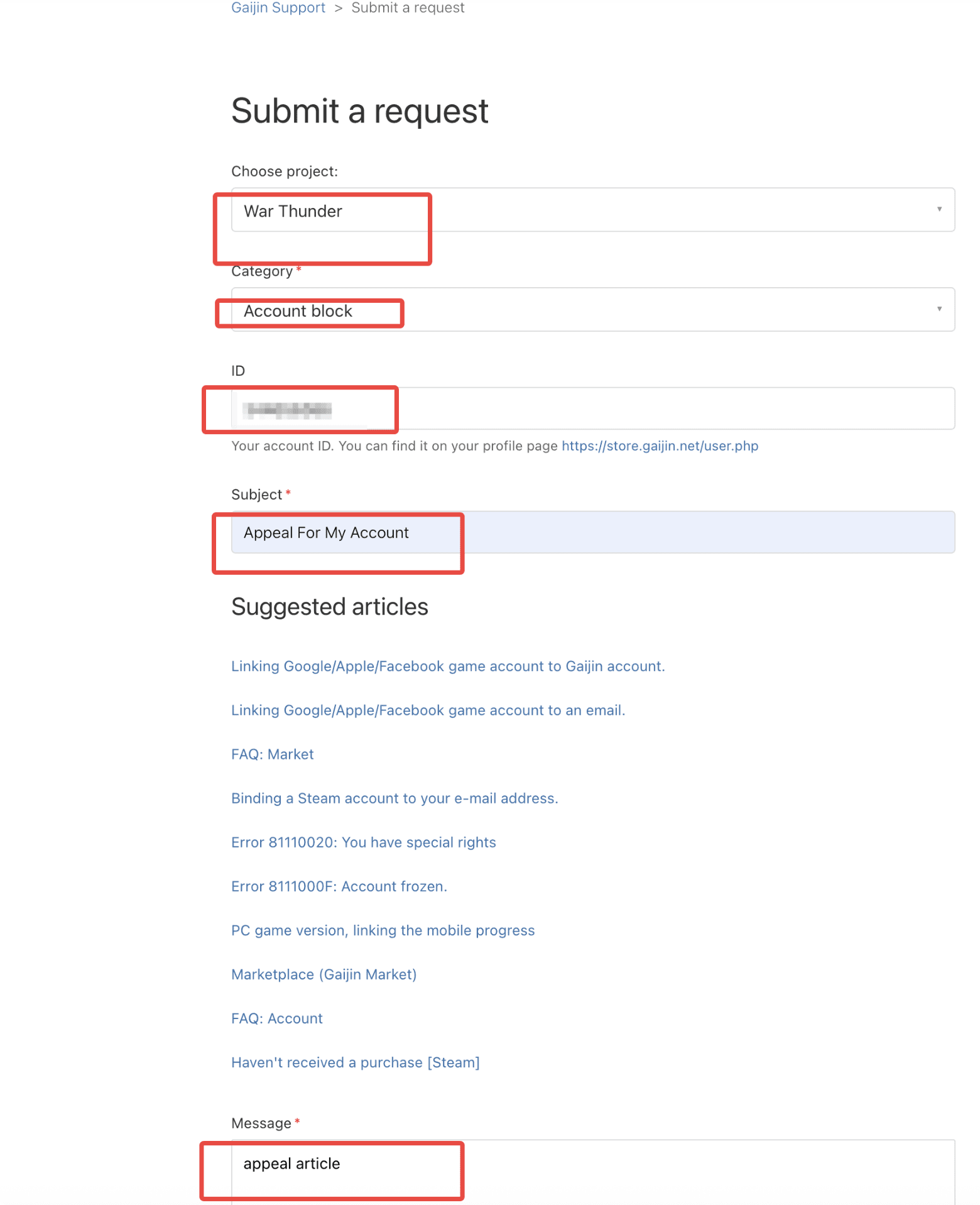
Frequently Asked Questions (FAQ) About War Thunder Bans
Q1: How long does it take for Gaijin Support to respond to a ban appeal?
Answer: Typically, Gaijin Support responds within 2 to 3 business days. However, during ban waves or holiday periods, response times can extend up to 5-7 days. Please note that submitting multiple tickets for the same issue (“spamming”) will push your request to the bottom of the queue, delaying the process further.
Q2: Can I get unbanned if my account was hacked and the hacker used cheats?
Answer: Yes, it is possible. Gaijin has a policy that may allow for a one-time amnesty if you can prove your account was compromised at the time of the offense. You will need to provide evidence such as login history from a different location/IP address. If verified, they may secure your account and lift the ban, but this is usually a one-time exception.
Q3: What does a “Negative Golden Eagles” balance mean and how do I fix it?
Answer: A negative Golden Eagles (GE) balance usually occurs due to a payment chargeback (refunding a purchase through your bank after spending the currency) or buying GE from unauthorized third-party sites. To unban your account, you must repay the debt. You need to contact Gaijin Support, who will calculate the amount owed and provide a link to settle the negative balance.
Q4: Will I get banned for using mods, sound packs, or custom skins?
Answer: Generally, cosmetic mods from the official War Thunder Live portal (like custom skins, sights, and sound mods) are safe. However, using unauthorized third-party software that modifies game files, reveals enemy locations (ESP), or automates gameplay (bots) will trigger the Easy Anti-Cheat (EAC) system and lead to a permanent ban. Always download mods from official sources only.
Q5: Is it possible to appeal a permanent ban for “Unsporting Behavior”?
Answer: “Unsporting Behavior” in War Thunder often refers to violations like botting, team-killing, or exploiting game mechanics. While difficult to overturn, you can appeal if you believe it was a false positive caused by software conflicts (e.g., anti-cheat flagging innocent background programs like RGB controllers or other game trainers). Be prepared to send your DxDiag and game logs (.clog files) to prove your innocence.